> ## Documentation Index
> Fetch the complete documentation index at: https://docs.risingwave.com/llms.txt
> Use this file to discover all available pages before exploring further.
# Ingest data from webhook
> Use managed webhook endpoints in RisingWave Cloud to ingest webhook events directly into your project.
This guide covers webhook ingestion for **managed RisingWave Cloud** projects, where requests are routed through the managed RWProxy webhook endpoint.
Webhook ingestion for managed RisingWave Cloud is currently in **preview**. General availability is planned for RisingWave 2.8. If you'd like to enable it before then, contact us at [cloud-support@risingwave-labs.com](mailto:cloud-support@risingwave-labs.com) and we'll help you get set up.
If you are running self-hosted RisingWave (Operator/Helm/bare metal), use [Ingest data from webhook](/integrations/sources/webhook).
For low-latency streaming ingestion over a persistent connection, see [Ingest data from WebSocket](/cloud/ingest-data-from-websocket).
## How managed webhook routing works
In managed RisingWave Cloud, webhook requests are accepted by RWProxy over HTTPS and forwarded to your project's frontend webhook listener.
* Public ingress: HTTPS `:443`
* Webhook path format: `/webhook///`
Tenant routing:
1. Hosted projects: SNI hostname first, then `tenant` query parameter fallback.
2. BYOC projects: currently use `tenant` query parameter (SNI is not supported).
## Prerequisites
1. A running RisingWave Cloud project.
2. The tenant identifier of your project (for example, `rwc-g1huxxxxxx-mycluster`).
3. A webhook table in your target database/schema (you can create it in the wizard).
For details on tenant identifier and project connection details, see [Connection errors](/cloud/connection-errors).
Current BYOC limitations:
* SNI is not supported yet. Use `?tenant=` in the webhook URL.
* TLS certificate verification may fail unless verification is disabled on the sender side. For testing, you can temporarily disable TLS verification in your client (for example, use `curl -k`).
## Hosted vs BYOC requirements
| Project type | Tenant routing requirement | TLS note |
| :----------- | :------------------------------------------------------------------------------------------------------------------------------------------- | :------------------------------------------------------------------------------------------------------ |
| Hosted | Use the webhook endpoint generated by the wizard. Hosted projects support SNI routing, with query-parameter fallback. | Use standard TLS verification. |
| BYOC | Use the webhook endpoint generated by the wizard, which includes `?tenant=`. BYOC currently does not support SNI routing. | TLS verification can fail in some BYOC environments. For testing, use `curl -k` (or client equivalent). |
## Use the Cloud Portal webhook wizard (recommended)
Use the wizard as the primary setup path so users do not need to manually construct hostnames or endpoint URLs.
Wizard steps:
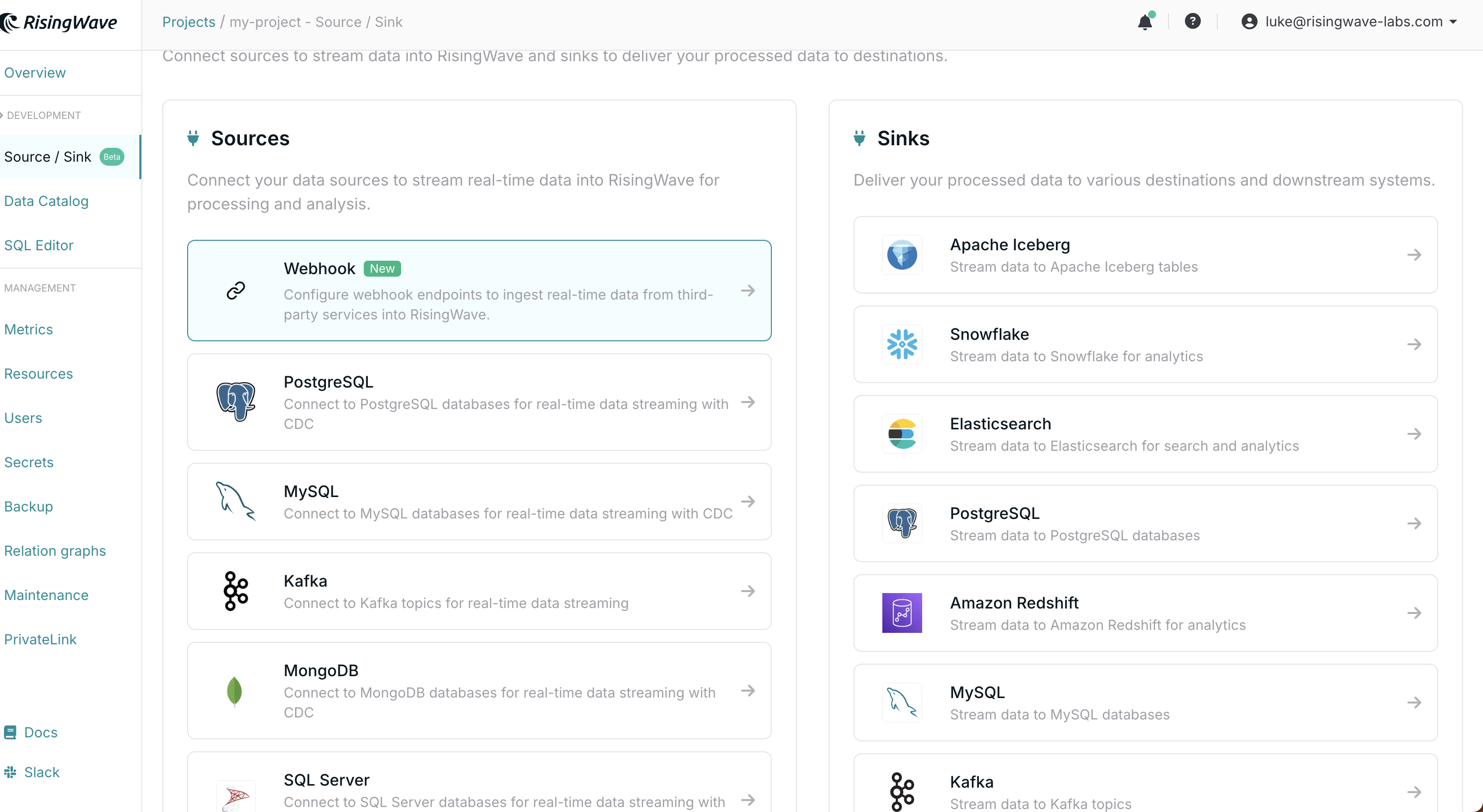
1. Open your project workspace and go to **Connect Your Data**.
2. Open **Webhook Configuration**.
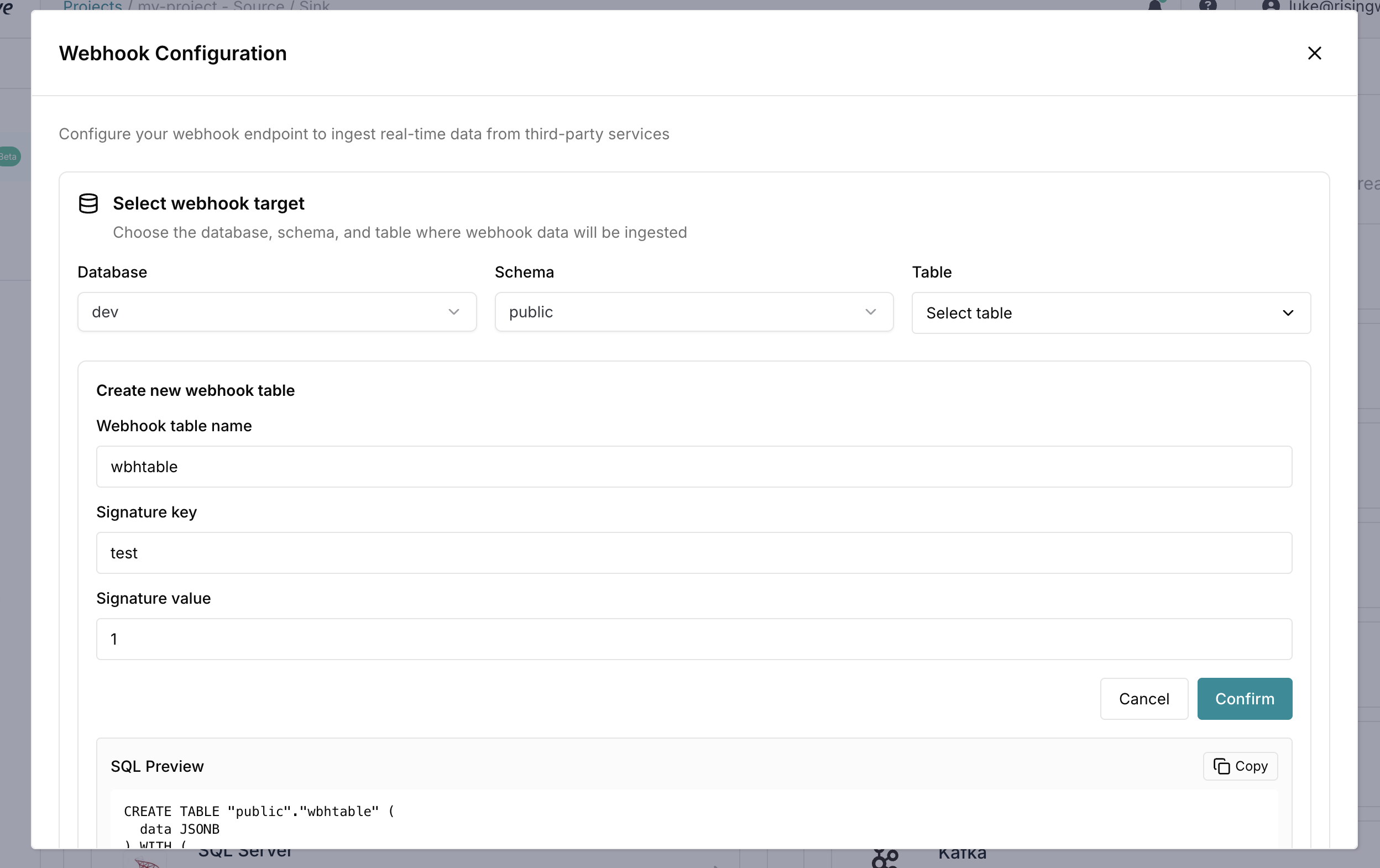
3. Select **Database**, **Schema**, and **Table**.
4. (Optional) Use **Create new webhook table** to generate SQL, preview it, and run it.
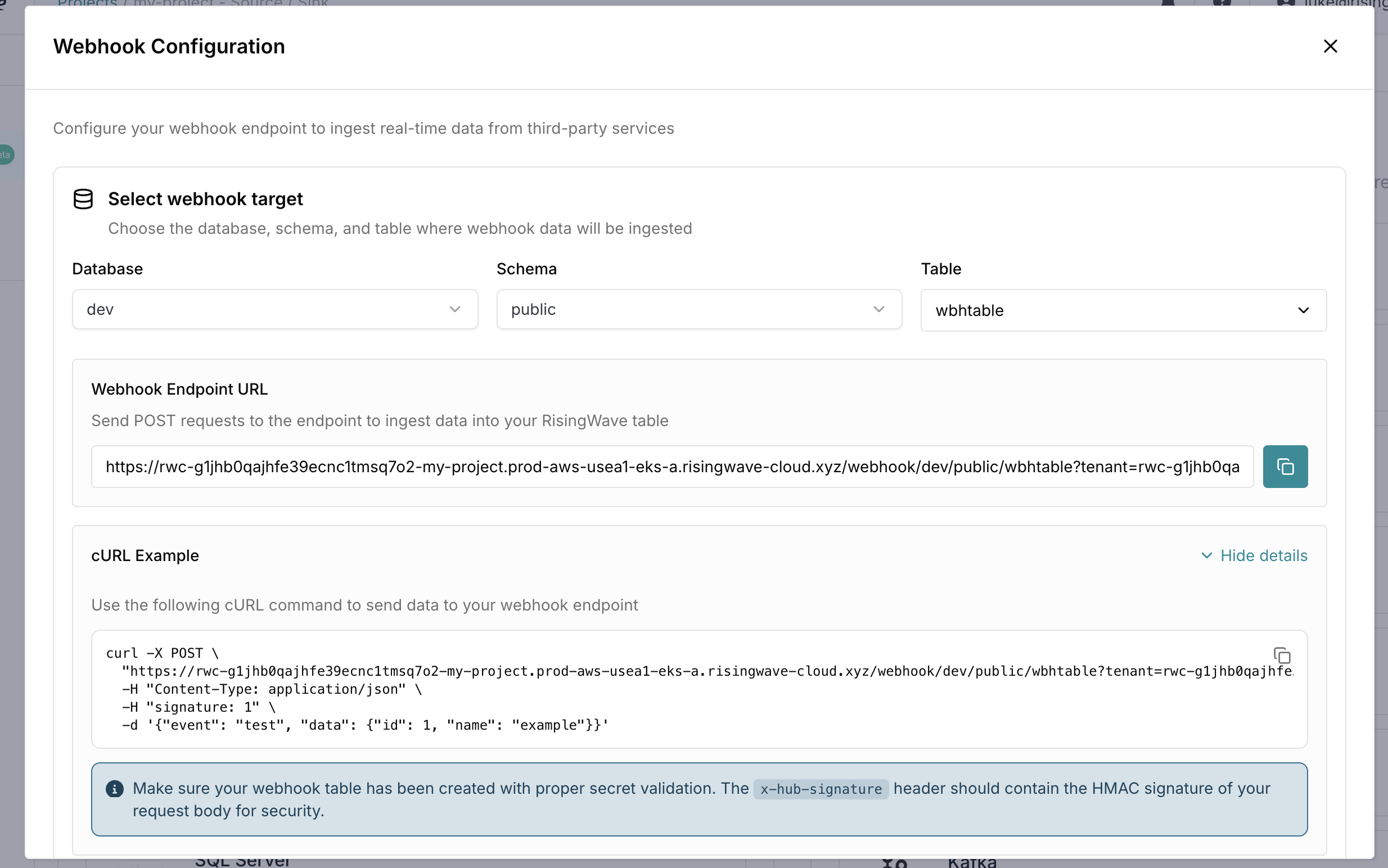
5. Copy the generated **Webhook Endpoint URL**.
6. Expand **cURL Example** and copy the generated command.
Wizard screenshots:
**Webhook entry in Connect page**
 **Create webhook table and review generated SQL**
 **Generated endpoint URL and cURL example**
 ## Recommended SQL and cURL commands
Use these as reference commands. In practice, prefer the wizard-generated SQL and endpoint values.
**Create webhook table**
```sql theme={null}
CREATE TABLE wbhtable (
data JSONB
) WITH (
connector = 'webhook'
) VALIDATE AS secure_compare(
headers->>'signature',
'1'
);
```
For provider-specific validation examples (GitHub, Segment, HubSpot, EventBridge, RudderStack), see [Webhook integrations](/integrations/sources/webhook#supported-webhook-sources-and-authentication-methods).
**Hosted projects cURL example**
```bash theme={null}
curl -i -X POST "" \
-H "Content-Type: application/json" \
-H "signature: 1" \
-d '{"event":"user.signup","user_id":"123"}'
```
**BYOC projects cURL example**
```bash theme={null}
curl -k -i -X POST "" \
-H "Content-Type: application/json" \
-H "signature: 1" \
-d '{"event":"user.signup","user_id":"123"}'
```
The webhook path must be exactly `/webhook///
## Recommended SQL and cURL commands
Use these as reference commands. In practice, prefer the wizard-generated SQL and endpoint values.
**Create webhook table**
```sql theme={null}
CREATE TABLE wbhtable (
data JSONB
) WITH (
connector = 'webhook'
) VALIDATE AS secure_compare(
headers->>'signature',
'1'
);
```
For provider-specific validation examples (GitHub, Segment, HubSpot, EventBridge, RudderStack), see [Webhook integrations](/integrations/sources/webhook#supported-webhook-sources-and-authentication-methods).
**Hosted projects cURL example**
```bash theme={null}
curl -i -X POST "" \
-H "Content-Type: application/json" \
-H "signature: 1" \
-d '{"event":"user.signup","user_id":"123"}'
```
**BYOC projects cURL example**
```bash theme={null}
curl -k -i -X POST "" \
-H "Content-Type: application/json" \
-H "signature: 1" \
-d '{"event":"user.signup","user_id":"123"}'
```
The webhook path must be exactly `/webhook///`.
**Verify ingestion**
```sql theme={null}
SELECT * FROM wbhtable;
```