> ## Documentation Index
> Fetch the complete documentation index at: https://docs.risingwave.com/llms.txt
> Use this file to discover all available pages before exploring further.
# Ingest data from WebSocket
> Use managed WebSocket ingest endpoints in RisingWave Cloud to stream batched DML into webhook tables.
This guide covers WebSocket ingestion for **managed RisingWave Cloud** projects, where connections are routed through the managed RWProxy ingest endpoint.
WebSocket ingestion for managed RisingWave Cloud is currently in **preview**. If you'd like to enable it, contact us at [cloud-support@risingwave-labs.com](mailto:cloud-support@risingwave-labs.com) and we'll help you get set up.
If you are running self-hosted RisingWave (Operator/Helm/bare metal), use [Ingest data from webhook](/integrations/sources/webhook). The same `webhook` table can also accept WebSocket ingest at `ws://:4560/ingest///`.
## How managed WebSocket routing works
In managed RisingWave Cloud, WebSocket ingest connections are accepted by RWProxy over WSS and forwarded to your project's frontend ingest listener.
* Public ingress: WSS `:443`
* Ingest path format: `/ingest///`
Tenant routing:
1. Hosted projects: SNI hostname first, then `tenant` query parameter fallback.
2. BYOC projects: currently use the `tenant` query parameter (SNI is not supported).
## Prerequisites
1. A running RisingWave Cloud project.
2. The tenant identifier of your project (for example, `rwc-g1huxxxxxx-mycluster`).
3. A `webhook` table in your target database/schema.
For details on tenant identifier and project connection details, see [Connection errors](/cloud/connection-errors).
Current BYOC limitations:
* SNI is not supported yet. Use `?tenant=` in the ingest URL.
* TLS certificate verification may fail unless verification is disabled on the client side. For testing, temporarily disable TLS verification in your WebSocket client if needed.
## Hosted vs BYOC requirements
| Project type | Tenant routing requirement | TLS note |
| :----------- | :----------------------------------------------------------------------------------------------------------------------------------- | :----------------------------------------------------------------------------------------------------------------- |
| Hosted | Use `wss:///ingest///`. Hosted projects support SNI routing, with query-parameter fallback. | Use standard TLS verification. |
| BYOC | Use `wss:///ingest///?tenant=`. BYOC currently does not support SNI routing. | TLS verification can fail in some BYOC environments. For testing, disable verification in your client temporarily. |
## Use the Cloud Portal WebSocket ingest wizard (recommended)
Use the wizard as the primary setup path so you do not need to manually construct hostnames, endpoint URLs, or signature validation SQL.
Wizard steps:
1. Open your project workspace and go to **Data Catalog**.
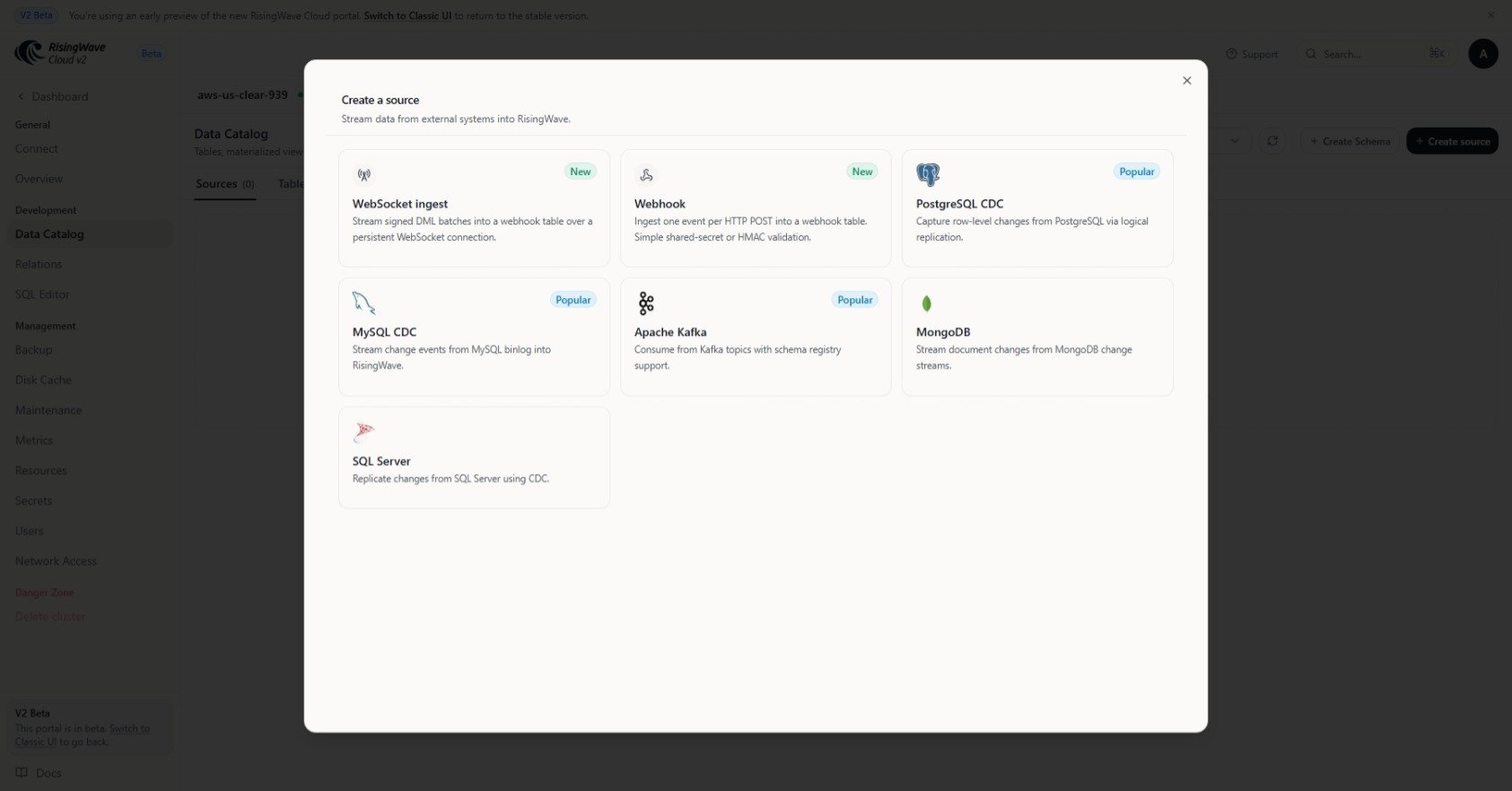
2. Click **Create source**.
3. Open **WebSocket ingest**.
4. Select **Database**, **Schema**, and **Target table**.
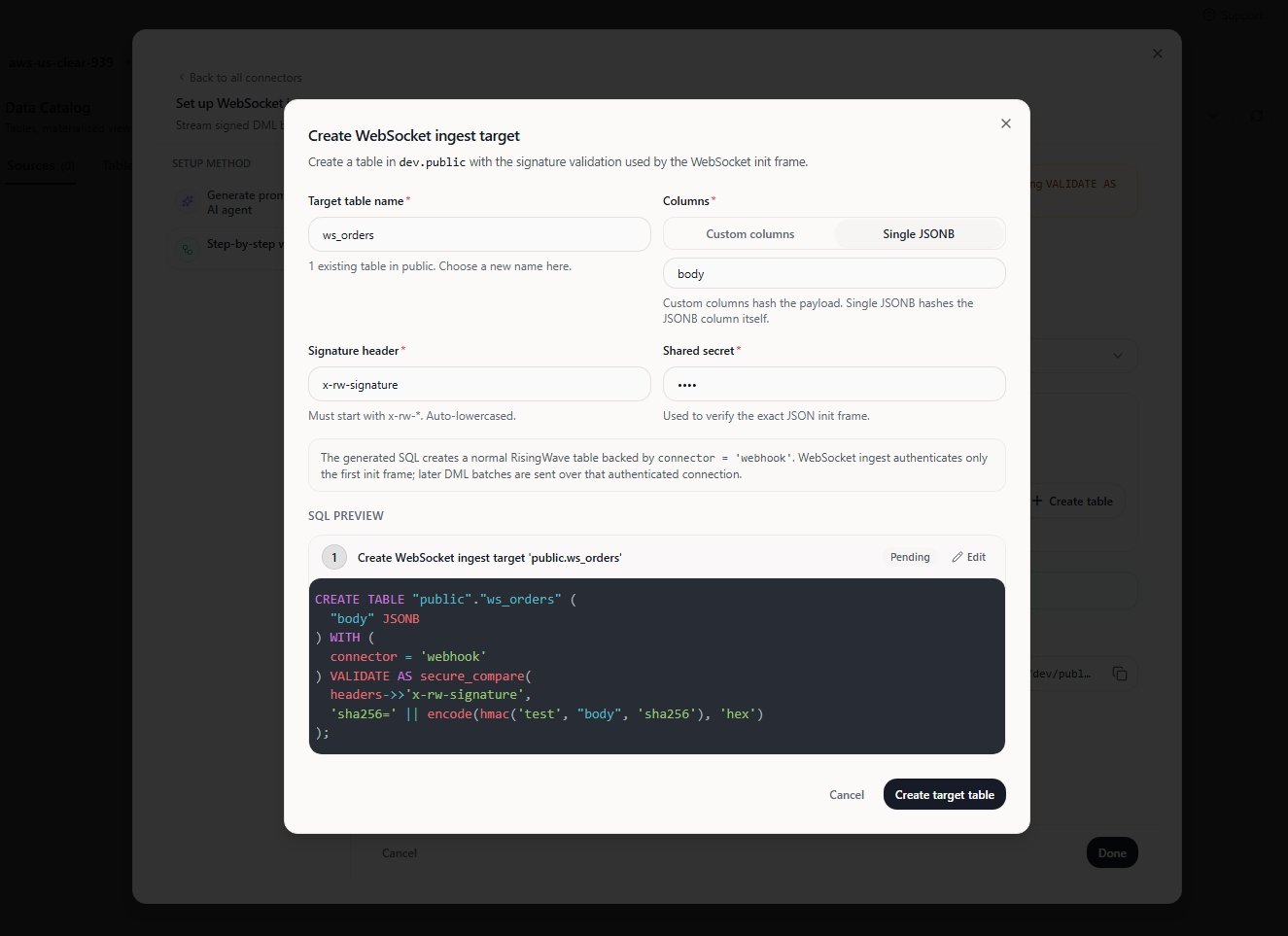
5. If you do not have a target table yet, click **Create table**, enter the table name and signature settings, review the generated SQL, and create the table.
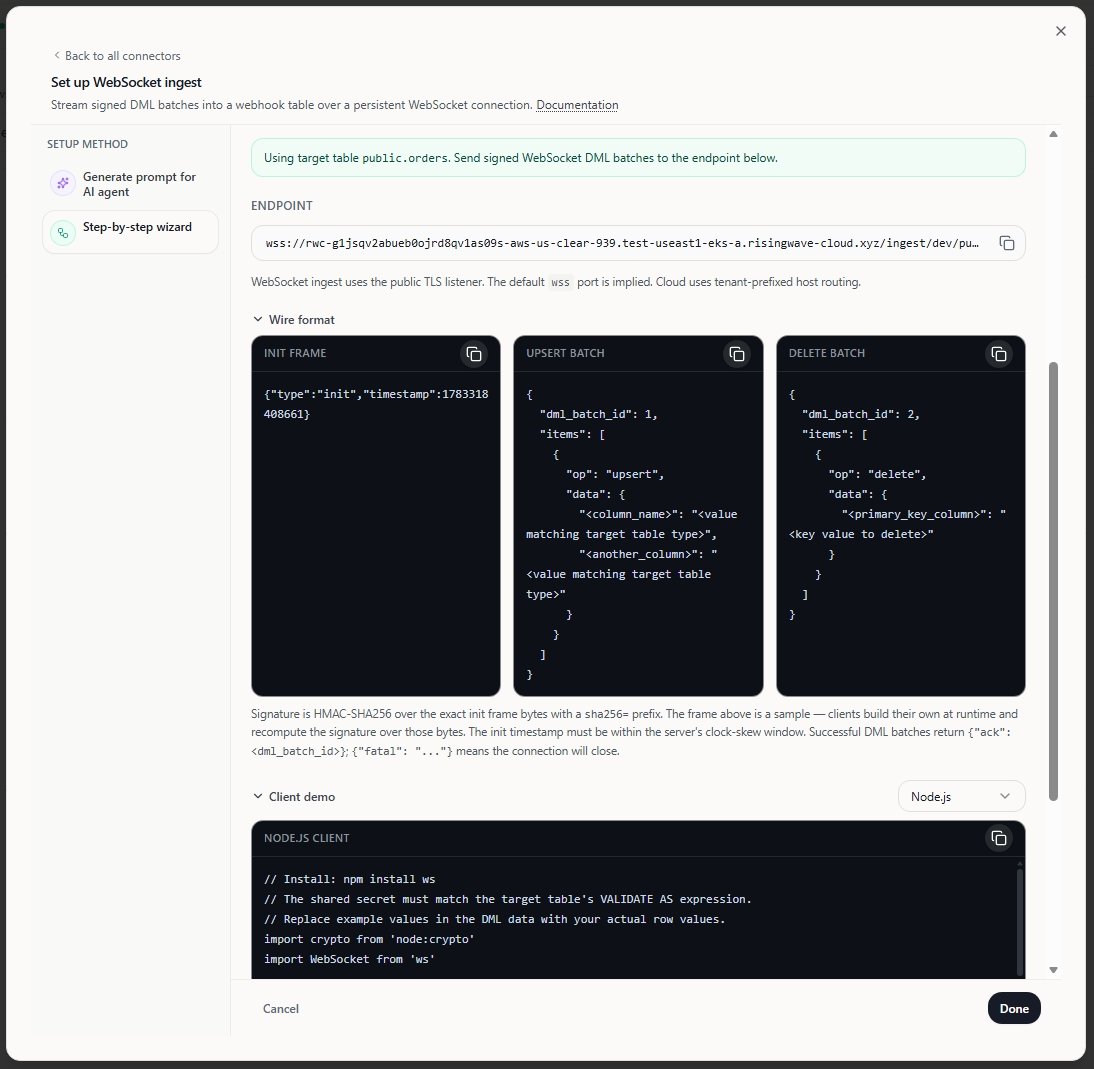
6. Copy the generated **Endpoint**.
7. Expand **Wire format** and **Client demo** to copy the generated init frame, DML batch examples, and client template.
Wizard screenshots:
**WebSocket ingest entry in Data Catalog**
 **Create a WebSocket ingest target and review generated SQL**
 **Generated endpoint and client examples**
 If WebSocket ingest does not appear in your Cloud Portal yet, use the manual endpoint format below as a fallback.
## Manual endpoint format
In hosted projects, use the following URL format:
```text theme={null}
wss:///ingest///
If WebSocket ingest does not appear in your Cloud Portal yet, use the manual endpoint format below as a fallback.
## Manual endpoint format
In hosted projects, use the following URL format:
```text theme={null}
wss:///ingest///
```
For BYOC projects, append the tenant identifier:
```text theme={null}
wss:///ingest///?tenant=
```
## Reference SQL and client example
Use these as reference commands. In practice, prefer the wizard-generated SQL, endpoint, and client template.
**Create a WebSocket ingest target table**
Create a `webhook` table with signature validation. The WebSocket connection reuses the same validation logic as the HTTP webhook endpoint.
```sql theme={null}
CREATE TABLE ws_orders (
id int,
customer_name varchar,
amount double precision,
primary key (id)
) WITH (
connector = 'webhook'
) VALIDATE AS secure_compare(
headers->>'x-rw-signature',
'sha256=' || encode(hmac('TEST_WEBSOCKET', payload, 'sha256'), 'hex')
);
```
## Protocol reference
Use the following protocol after connecting to the WebSocket endpoint:
* Handshake header: `x-rw-signature: sha256=`
* First frame: `{"type":"init","timestamp":}`
* DML batch frame: `{"dml_batch_id":,"items":[{"op":"upsert|insert|update|delete","data":{...}}]}`
* Server ack: `{"ack":}`
* Fatal error: `{"fatal":""}`
Rules and behavior:
* The init frame must be the first text frame.
* `timestamp` must be a non-negative epoch millisecond within the configured clock-skew window.
* `dml_batch_id` must increase monotonically within a connection.
* Empty batches are valid and are acknowledged immediately.
* Non-empty batches are acknowledged after the batch is accepted downstream.
* Any fatal error closes the connection.
* `insert` and `update` use the same upsert-style row handling as `upsert`.
Supported JSON decoder option headers on the handshake:
* `x-rw-webhook-json-timestamp-handling-mode`
* `x-rw-webhook-json-timestamptz-handling-mode`
* `x-rw-webhook-json-time-handling-mode`
* `x-rw-webhook-json-bigint-unsigned-handling-mode`
* `x-rw-webhook-json-handle-toast-columns`
## Python client example
This example computes the HMAC of the init frame, opens the WebSocket connection, sends one batch, and waits for the ack.
```python theme={null}
import asyncio
import hashlib
import hmac
import json
import time
import websockets
SECRET = b"TEST_WEBSOCKET"
INIT_MSG = json.dumps(
{"type": "init", "timestamp": int(time.time() * 1000)},
separators=(",", ":"),
)
SIGNATURE = "sha256=" + hmac.new(SECRET, INIT_MSG.encode(), hashlib.sha256).hexdigest()
URL = "wss:///ingest///"
async def main():
async with websockets.connect(
URL,
additional_headers={"x-rw-signature": SIGNATURE},
) as ws:
await ws.send(INIT_MSG)
await ws.send(
json.dumps(
{
"dml_batch_id": 1,
"items": [
{
"op": "upsert",
"data": {
"id": 1,
"customer_name": "Alice",
"amount": 99.99,
},
}
],
},
separators=(",", ":"),
)
)
print(await ws.recv())
asyncio.run(main())
```
For BYOC projects that require the tenant query parameter, use the BYOC URL format shown above. If TLS verification fails in your BYOC environment, create a client SSL context that disables certificate verification for testing only.
## HTTP webhook vs WebSocket ingest
| Option | Best for | Transport | Delivery pattern |
| :--------------- | :----------------------------------------------- | :------------------------ | :--------------------------- |
| HTTP webhook | Per-event pushes from SaaS webhook providers | HTTPS `POST` | One request per event |
| WebSocket ingest | Low-latency app-driven streaming and batched DML | Long-lived WSS connection | Async batch acknowledgements |
## Troubleshooting
* Invalid signature: recompute `x-rw-signature` from the exact init frame bytes.
* Stale or skewed init timestamp: regenerate the init frame immediately before connecting.
* Non-monotonic `dml_batch_id`: increase the batch ID for every batch sent on the same connection.
* Missing primary key fields: include all PK columns for `upsert`, `insert`, `update`, and `delete`.
* JSON decode failures: verify field names, value types, and any `x-rw-webhook-json-*` decoder headers.