

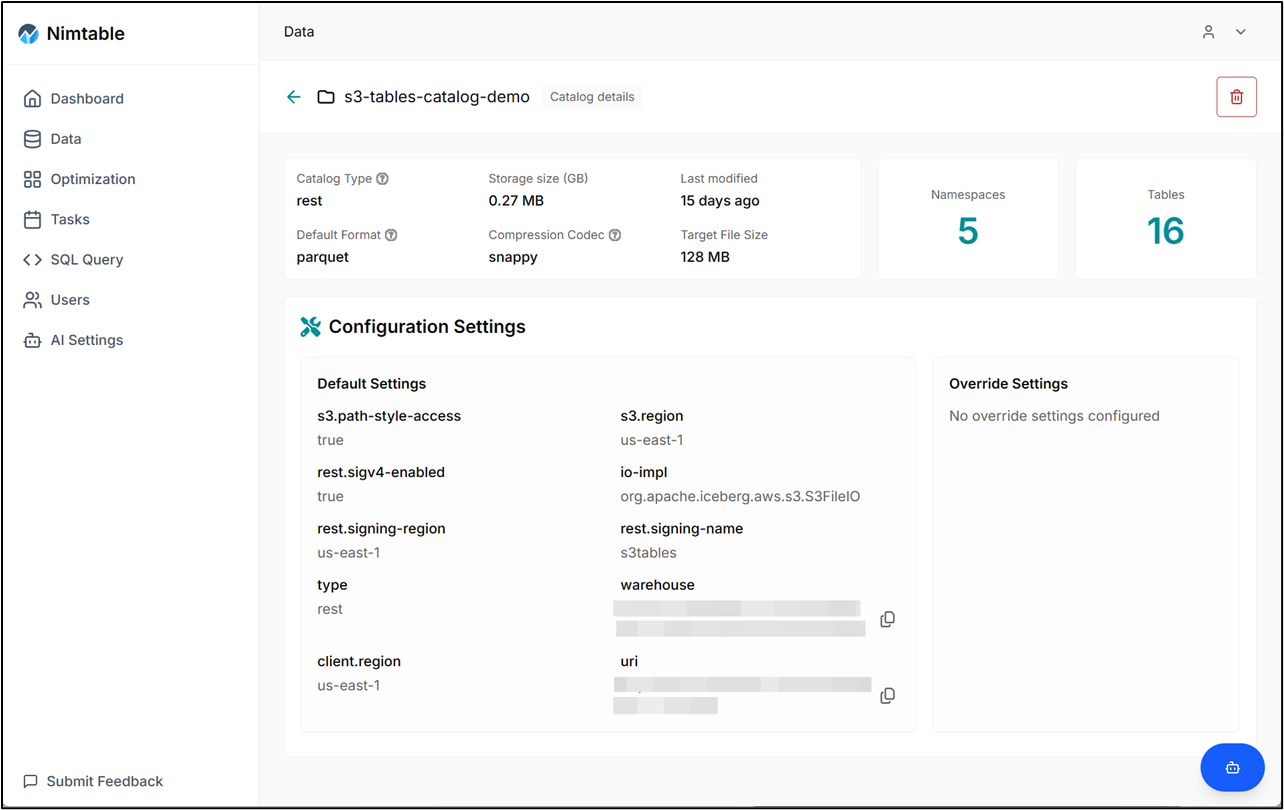
What Nimtable does
- Browse catalogs, schemas, tables, partitions, snapshots, and manifests
- Visualize snapshot and file distribution to spot optimization opportunities
- Run quick SQL queries in the browser for metadata inspection
- Act as an Iceberg REST Catalog endpoint for engines including RisingWave
- Configure catalogs through the UI or a
config.yamlfile - Support common catalog backends: REST, AWS Glue, S3 Tables, and JDBC/PostgreSQL
How it fits with RisingWave
- Register Nimtable’s REST endpoint as an Iceberg catalog in RisingWave, then create sources, sinks, or connections against it
- Inspect Iceberg tables that RisingWave writes, including schema, snapshots, and file layout
- Plan maintenance flows (compaction, optimization) while continuing to use RisingWave for incremental writes and reads
Architecture at a glance
- Web UI on port 3000 for interactive management
- REST Catalog API (default 8182) that fronts supported Iceberg catalog backends
- Metadata stored in PostgreSQL (configurable)
- Catalog definitions can be stored in Nimtable’s internal database (via UI) or provisioned via
config.yaml
When to use Nimtable
- You want a UI to explore and troubleshoot Iceberg tables produced or consumed by RisingWave
- You need a REST Catalog endpoint and prefer a managed control plane over standing up a catalog service yourself
- You want a single place to add catalogs and reuse them across RisingWave, Spark, or other engines
Next steps
- Get started with Nimtable
- If you plan to connect from RisingWave, review REST catalog configuration for the required
catalog.typeandcatalog.urisettings