

--dashboard-host flag and the RW_DASHBOARD_HOST environment variable). If you are looking for the separate, premium operations console, see RisingWave Console instead.
Accessing the built-in UI
By default, the meta node serves the built-in UI on port5691. If you started RisingWave with an official Docker image or in standalone mode, that port is exposed automatically — open http://localhost:5691 in your browser.
You can change the bind address with either of the following on the meta node:
- The
--dashboard-hostcommand-line flag. - The
RW_DASHBOARD_HOSTenvironment variable.
5691 on the meta node service and access the UI through your usual ingress, port-forward, or service mesh.
What you can do from the built-in UI
The built-in UI is a read-only inspection tool. From it, you can:- Browse catalog objects: sources, tables, materialized views, indexes, internal tables, sinks, views, subscriptions, and functions.
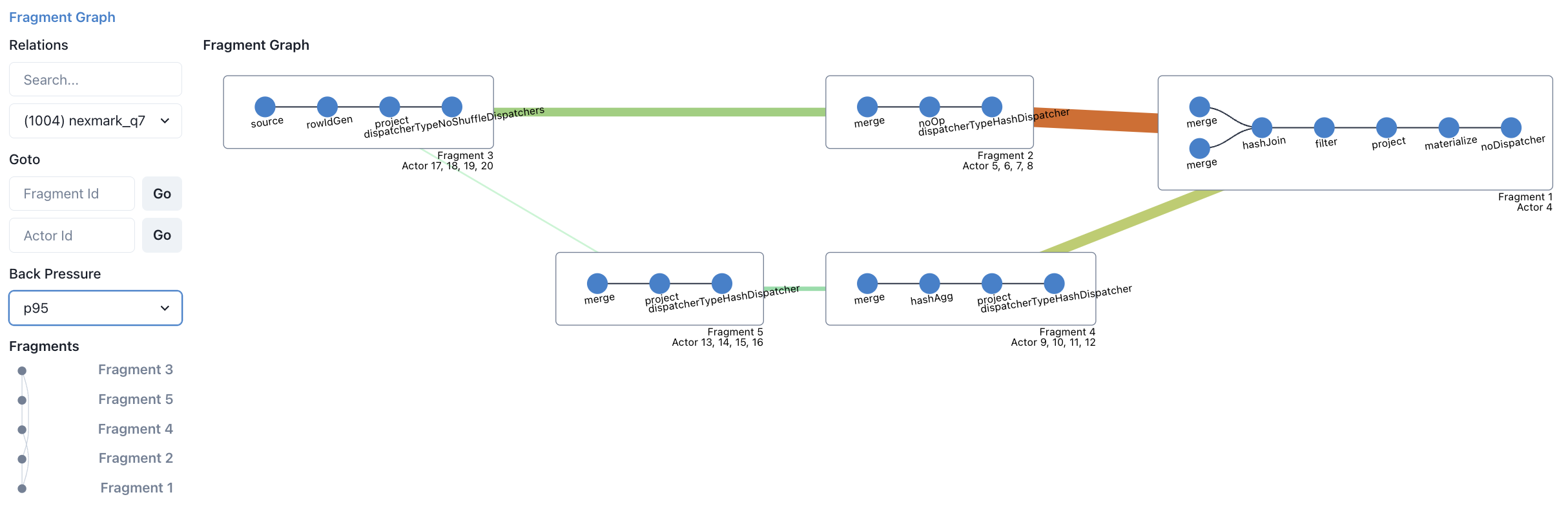
- Visualize streaming execution with fragment graphs that include color-coded back-pressure rates.
- Inspect batch task execution.
- Debug using await tree dumps, heap profiling, and distributed plan visualization.
- View streaming relation graphs and internal table structures.
Diagnose report API
The meta node also exposes a diagnose report through the built-in UI API at/api/monitor/diagnose/.
- Use
http://<meta-host>:5691/api/monitor/diagnose/to fetch the report. - Set
actor_traces_format=textoractor_traces_format=jsonto control the await-tree trace format. For example:http://localhost:5691/api/monitor/diagnose/?actor_traces_format=text. - The streaming-actor summary is grouped by fragment. The report uses a
FRAGMENTsection withfragment_id,job_id,schema_id,type,name,actor_count, andactors, instead of listing one row per actor under anACTORsection.
Built-in UI vs. Grafana vs. RisingWave Console
The built-in UI covers cluster introspection, but it is not a metrics or alerting product. For different needs:- For CPU, memory, network, and per-component performance metrics, use the Prometheus + Grafana stack. See Monitor a RisingWave cluster.
- For multi-cluster operations, automated metadata snapshots, diagnostic collection, and
risectlaccess from a UI, use RisingWave Console (premium).