

risectl binaries, pull public images, or fetch Helm charts during environment installation.
Checklist
Prepare these artifacts before starting Console:- Console image, usually an
-airgaptag if you need pre-cachedrisectlbinaries. - Signed RisingWave license key.
- Private Docker registry reachable from the Kubernetes nodes.
- Mirrored images for Console-managed components.
- cert-manager and RisingWave Operator Helm chart archives.
- Any RisingWave database images you plan to deploy.
- Optional Grafana dashboards if your workflow installs Grafana.
Start Console without internet access
Set:Mirror images
Mirror the images used by Console-managed infrastructure into your private registry. Console-managed components pull these core infrastructure images:Fluent Bit is the one component Console pulls by the mutable
latest tag by
default, so the resolved image can drift over time. For a reproducible
air-gapped mirror, pin Fluent Bit to a fixed tag in Console’s log-forwarder
image setting and mirror that exact tag instead of latest.- the cert-manager images referenced by the cert-manager Helm chart you install,
- the RisingWave Operator images referenced by the
risingwave-operatorHelm chart, - the RisingWave database image tags you plan to deploy, for example
risingwavelabs/risingwave:v2.8.2.
REGISTRY to your registry prefix — the same value you configure in Console below:
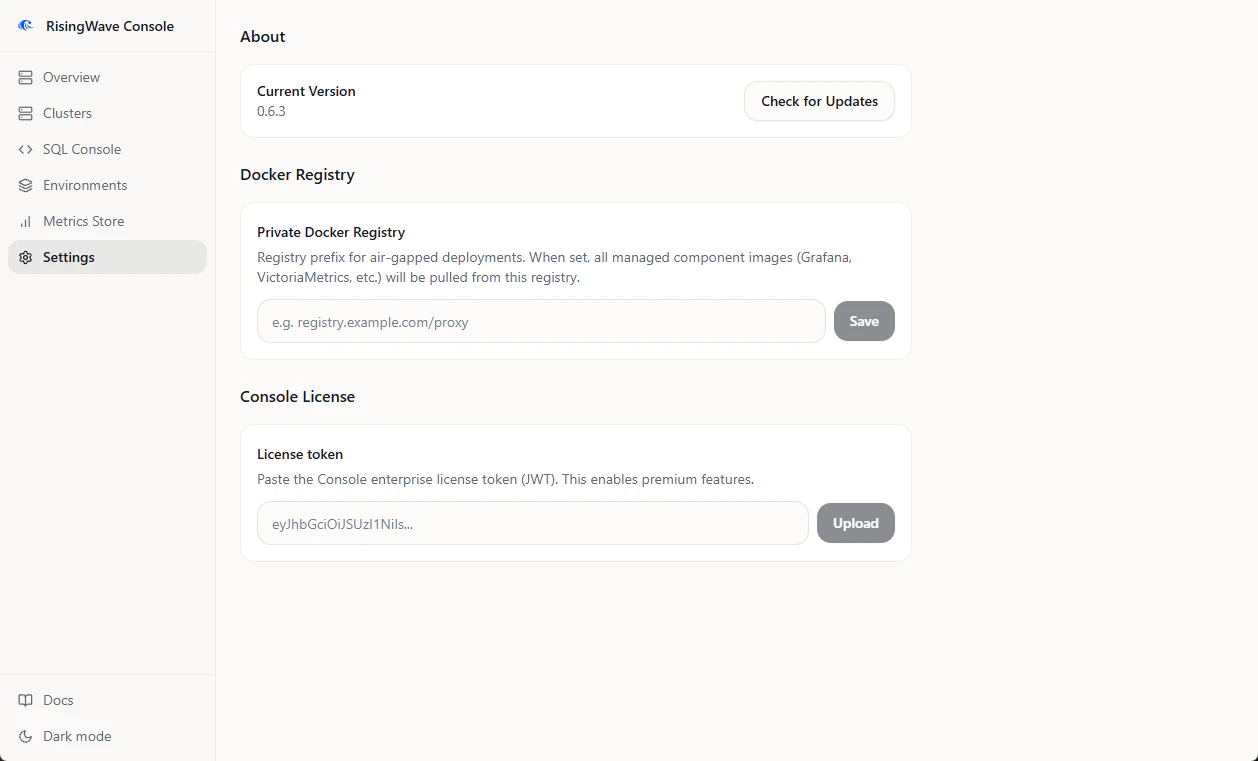
Configure the private registry in Console
- Open Settings.
- Find Docker Registry.
- Set Private Docker Registry to the same prefix used when mirroring images, for example
registry.example.com/proxy. - Click Save.
Provide Helm charts
In air-gapped mode, Console cannot fetch missing Helm charts. Put chart archives in the directory configured byRCONSOLE_HELM_CHART_DIR, or upload them from the relevant install workflow when the UI prompts for a chart archive.
The default chart directory is:
.tgz Helm chart files.
Provide risectl binaries
Console usesrisectl for cluster operations. In a connected deployment, it can download the needed version. In an air-gapped deployment, use an air-gap Console image with the needed versions pre-cached, or mount binaries under:
Validate the setup
Before creating production clusters:- Confirm Console starts with
RCONSOLE_NOINTERNET=true. - Confirm Settings shows the private Docker registry value.
- Create an environment with the same components you plan to use in production.
- Watch the install logs for image pull or chart lookup errors.
- Run the environment acceptance test.