Documentation Index

Fetch the complete documentation index at: https://docs.risingwave.com/llms.txt

Use this file to discover all available pages before exploring further.

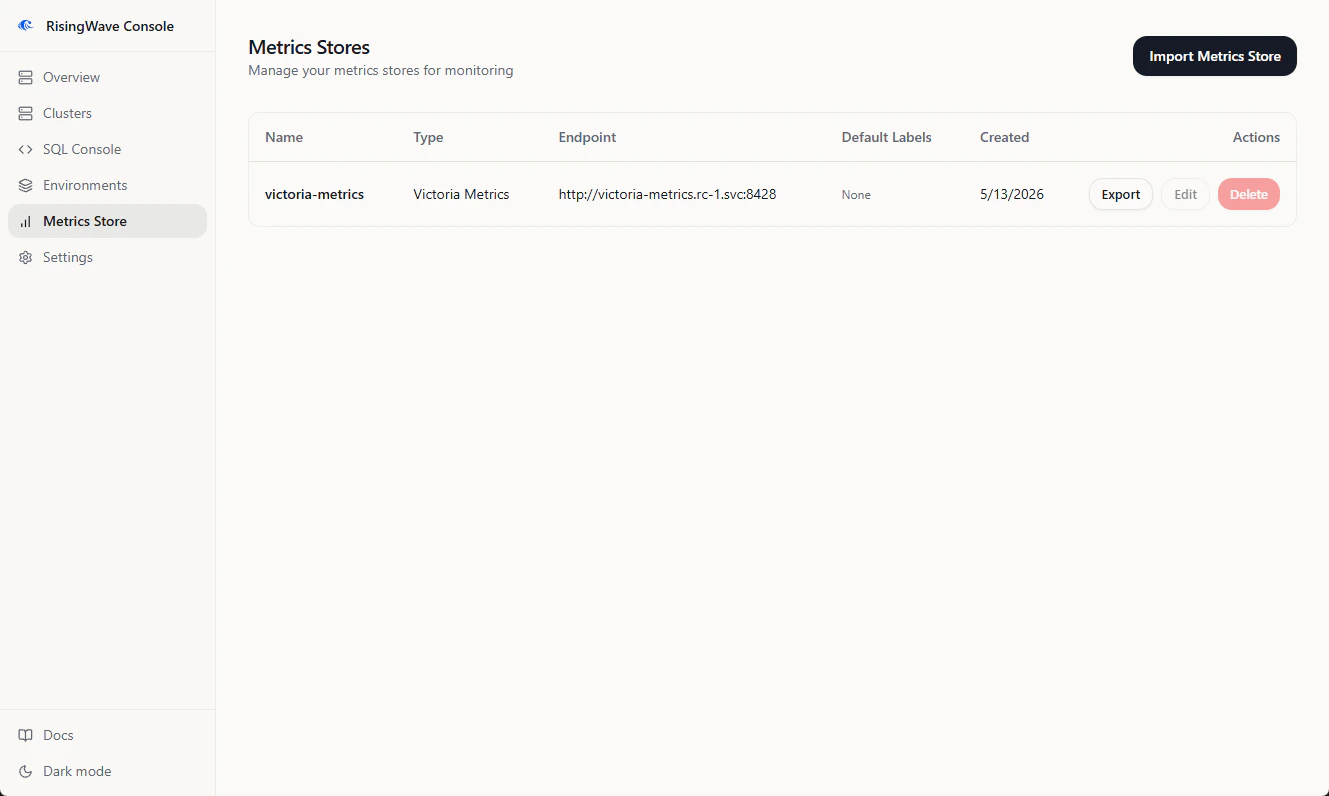
Metrics stores let Console query and visualize RisingWave metrics. Console supports Prometheus-compatible endpoints, including Prometheus and VictoriaMetrics. Managed environments can install VictoriaMetrics automatically. For imported clusters, add an existing metrics store and attach it to the cluster connection.

Add a metrics store

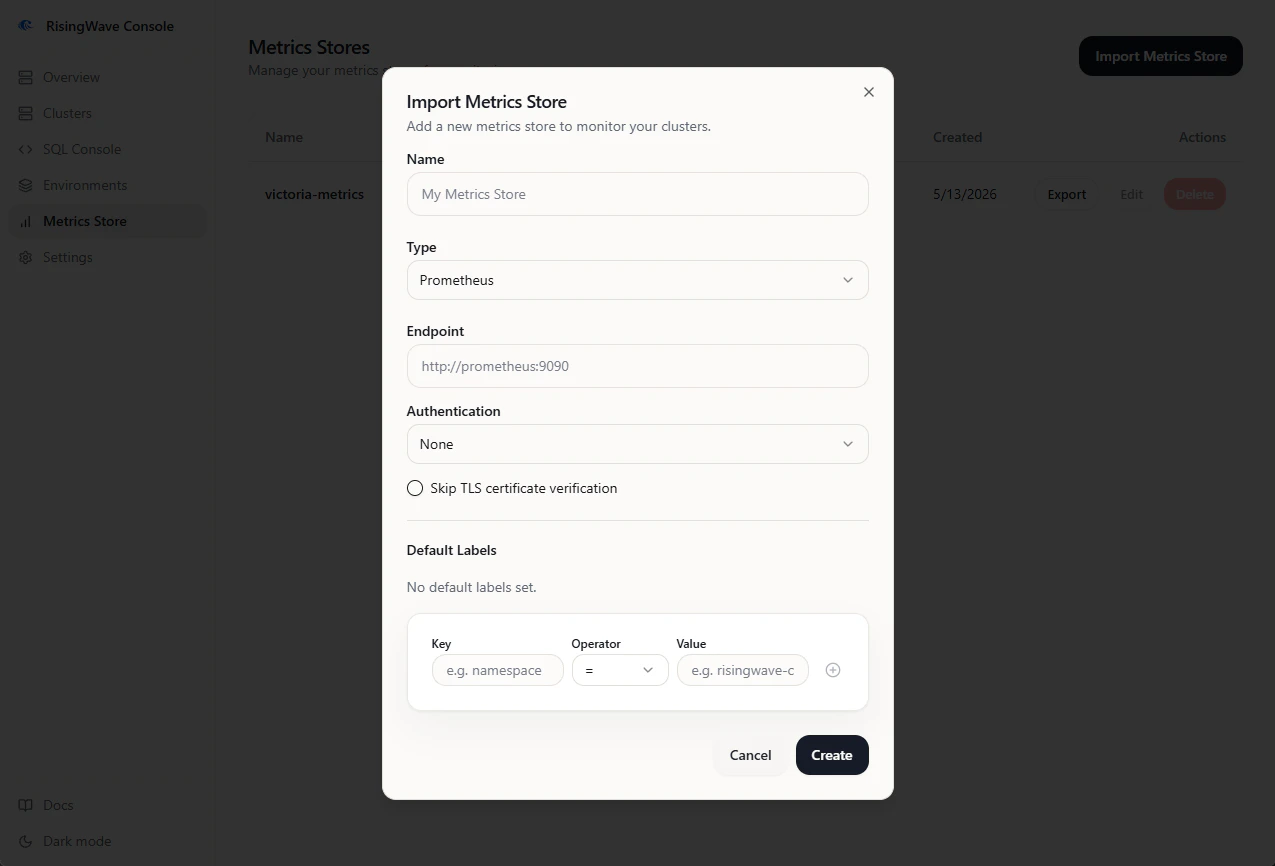
  1. Open Metrics Store from the sidebar.
  2. Click Add.
  3. Enter a name.
  4. Select the metrics store type.
  5. Enter the endpoint URL.
  6. Add any default labels needed to scope queries, such as a Kubernetes namespace label.
  7. Save the store.
After saving, edit a cluster connection and select the metrics store. Metrics charts remain empty if the cluster has no metrics store attached.

Managed metrics stores

When an environment installs VictoriaMetrics, Console treats that metrics store as managed. Managed metrics stores are owned by the environment lifecycle and may not allow the same edit or delete actions as imported metrics stores.

Export metrics

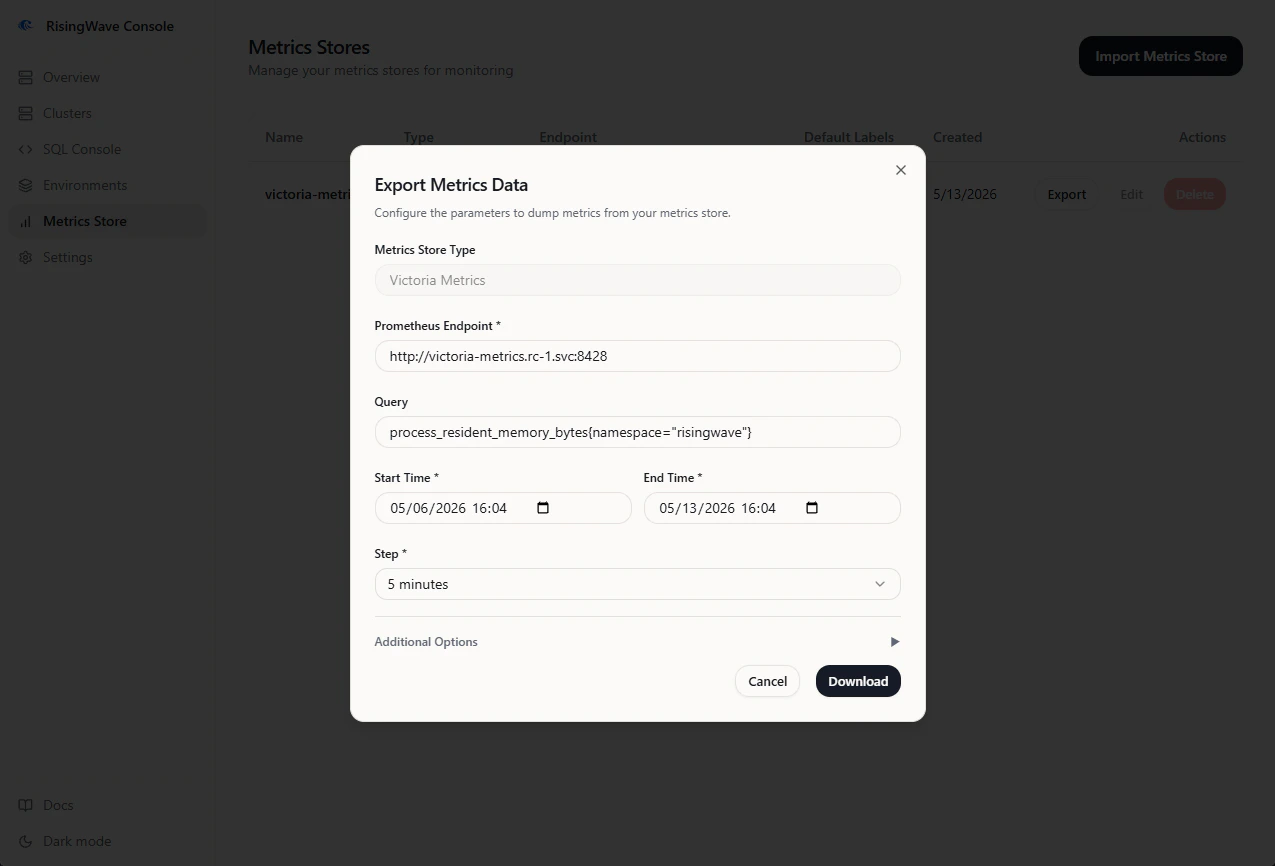
Console can export metrics from a metrics store as a ZIP archive for offline analysis or support handoff.
  1. Open Metrics Store.
  2. Find the store.
  3. Click Export.
  4. Set Start Time and End Time. The UI accepts browser-local time and sends the request in UTC.
  5. Select Step. Smaller steps produce larger archives.
  6. Enter a PromQL selector, such as:
{__name__=~".+"}
or:
{namespace="risingwave-prod"}
  1. Keep gzip compression enabled unless your downstream tooling cannot read compressed output.
  2. Click Download and keep the tab open until the export finishes.
The downloaded file is named metrics.zip.

Troubleshooting

SymptomCheck
Metrics charts are emptyConfirm the cluster has a metrics store selected and the default labels match emitted series.
Export times outNarrow the time range, increase the step, split into more parts, or reduce the memory ratio.
Export archive is emptyThe query matched no series in the selected time range.
Managed metrics store cannot be deletedIt is owned by an environment. Delete or update the environment component instead.